bcmsSVR 2.1.1 just released, this version has the following updates.
1. Add statushuntgroup REST API, also the data is written to Splunk and Kafka interfaces.
2. Add addhuntgroupmember, deletehuntgroupmember REST API.
bcmsSVR 2.1.1 just released, this version has the following updates.
1. Add statushuntgroup REST API, also the data is written to Splunk and Kafka interfaces.
2. Add addhuntgroupmember, deletehuntgroupmember REST API.
bcmsSVR 2.1.0 just released, this version has the following updates.
1. Add admin API list/add/delete report.
2. Add admin API updatelicense/displaylicense.
3. Add admin API list/add/delete acd.
4. Add admin API list/add/delete/update parameter.
5. Add admin API reload parameter.
6. Add admin API add/delete/test/list email.
7. Add admin API emailconfig to update email email configuration.
8. Add function to add/remove/change agent.
9. The function changebasicbasic added autoanswer parameter.
10. Login function support password together with pin.
11. Send log to Splunk stopped for bcmsList functions after server is restarted is fixed due to incorrect timestamp read from database after program restart.
12. Change the maximum ACD connection pool size from 10 to 15.
13. Addition of ACD connection to connection pool in the reload function without restart of the program.
14. Supports sending the data to Kafka.
15. Supports “list measurement trunk-group hourly” and “list measurement trunk-group summary” reports.
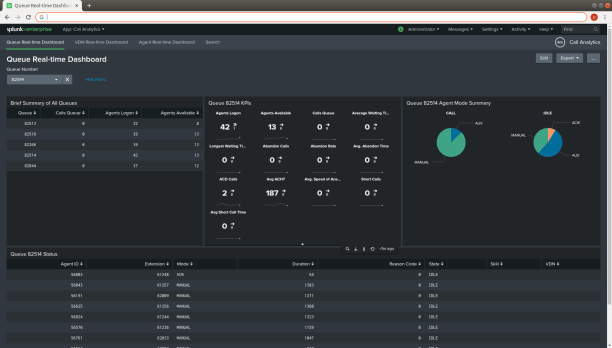
We have created a Splunk App called Call Analytics, the current version of the app is 1.0.0. You can download the app free from here. After download, use the Splunk Manage App function to upload the file callanalytics[version].tar.gz into Splunk. Then enable the Splunk HTTP Event Collector Global Setting. Also update the parameters of CallAnalytics with the the following console commands:
Lastly add your splitskillstatus, agentsnapshot and vdnsnapshot, qacdsplits, qtrunkgroup reports into CallAnalytics, you will find the following dashboards in Splunk. Enjoy!


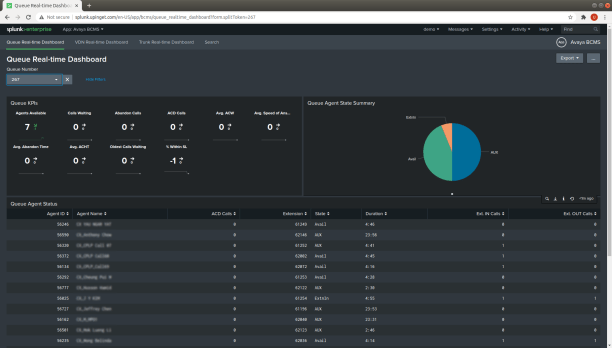
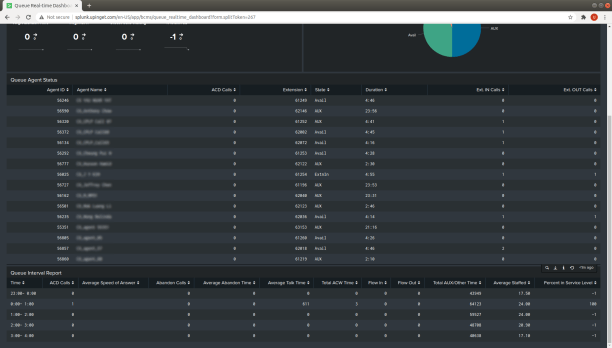
We have created a Splunk App called Avaya BCMS, the current version of the app is 1.0.0. You can download the app free from here. After download, use the Splunk Manage App function to upload the file bcms[version].tar.gz into Splunk. Then enable the Splunk HTTP Event Collector Global Setting. Also update the parameters of bcmsSVR with the the following console commands:
Lastly add your bcmsMonitorSystem, bcmsMonitorSplit and bcmsMonitorVDN reports into bcmsSVR, you will find the following dashboards in Splunk. Enjoy!


bcmsSVR 2.0.9 just released, this version has the following updates.
1. Supports “listmultimediaipstations”, “statusmediagateways”, “listmediagateway”, “displaycapacity” REST interfaces.
2. Supports “listmultimediaipstations” and “listmediagateway” database interfaces.
3. Supports “listmultimediaipstations”, “statusmediagateways”, “displaycapacity” PRTG interfaces.
4. Linux 32bit bcmsSVR is not supported.
bcmsSVR 2.0.8 just released, this version has the following updates.
1. Add escape character for special character of MySQL, MSSQL or Oracle.
2. Fixed BcmsListSummaryVdn without dictionary mapping.
3. Using libssh version 0.7.7 for SSH connection between bcmsSVR and Avaya CM.
4. Supports JSON payload for the REST interface.

Wallboard.info has been working with developing Digital Signage solutions for 10 years. They have developed customer and employee management systems for Call Centers, which led them to the conclusion that actual, real-time information has an exceedingly positive effect on the employees’ performance.
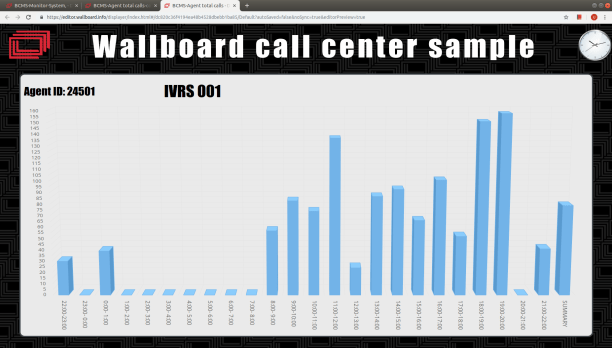
UPINGET and Wallboard.info have joint effort to integrate the bcmsSVR and clintSVR with the wallboard system. Some call center real time and historical reports are created from the XML interfaces of bcmsSVR and clintSVR very quickly, you can find the screen dumps of these reports as follow:
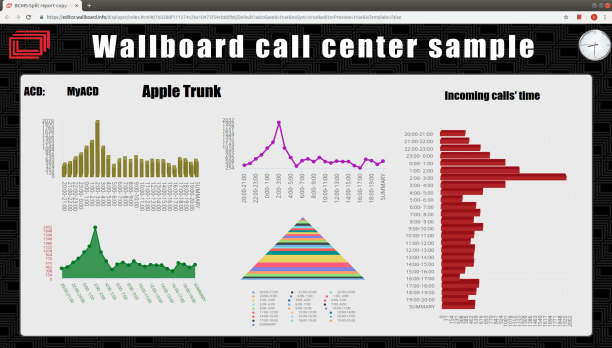
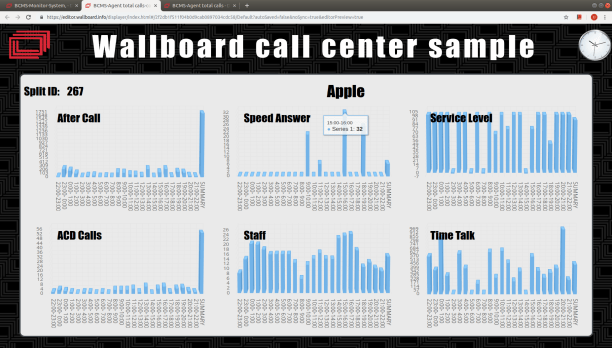

The Wallboard team also created a video. If you are interested, please contact info@wallboard.info.
bcmsSVR 2.0.7 just released, this version has the following update.
1. Supports bcmslistagentday and bcmslisttrunkday reports.
2. Supports BCMSLight 1.2.2.
3. Add “reportdownloadtime” command to add time schedule for downloading report automatically.
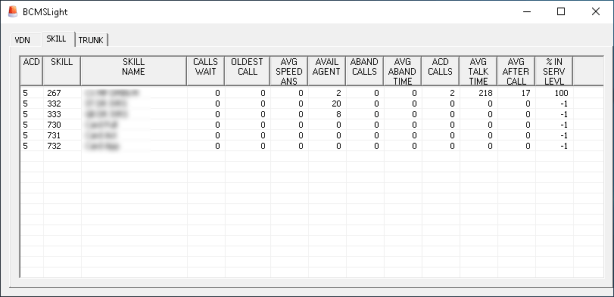
4. Add Trunk tab and using monitortraffictrunkgroups to update the real time information of the Trunk tab.
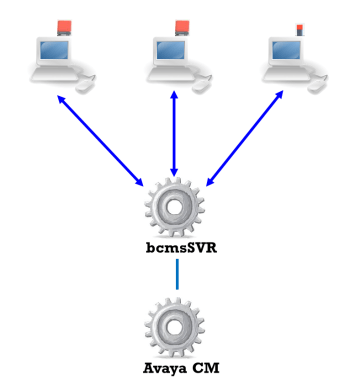
BCMSLight is a visual notification software for Avaya call center. The software is integrated with a USB lighting device and showing critical situation by turning on the lighting device and changing the color to YELLOW or RED when the number of monitoring object such as waiting calls, the oldest waiting time or the percentage in service level exceeded threshold value. The software is designed for the Avaya BCMS, it requires bcmsSVR which gets the real time data directly from Avaya CM. The BCMSLight provides the following features:
Supported USB lighting device
Supported BCMS Reports
Supported platform
CMSLight Software Windows Installation
Sample Screen Dumps


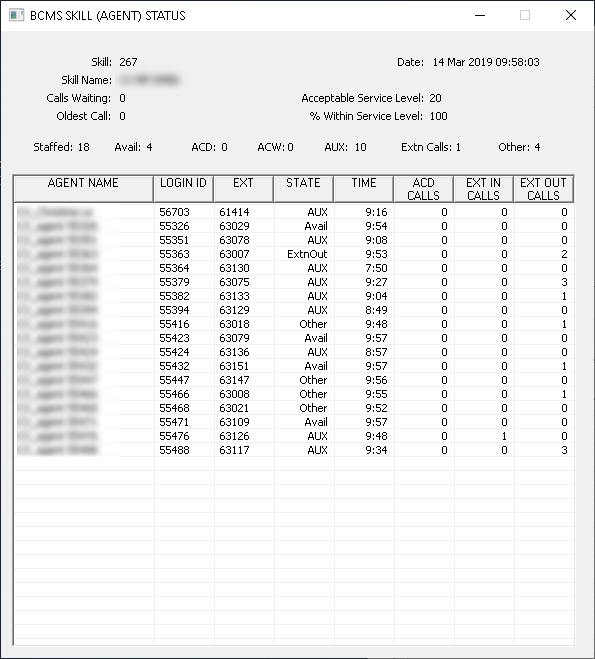
bcmsSVR 2.0.6 just released, this version has the following update.
1. The bcmsListSplit, bcmsListVdn, bcmsListAgent, bcmsListTrunk data is not updated when the record is existed.
2. The last 2 day of bcmsListSplitDay and bcmsListVdnDay data are updated only to prevent all data loss when system interchanged.
3. Supports sending data to Splunk using HTTP Event Collector method.
4. Two parameters to load the certificate and key files, the two parameters are “bcms_sslcertfilename” and “bcms_sslkeyfilename”.
5. Add listhunt report.
 UPINGET