Splunk App CallAnalytics v1.0.1 just released. It supports
- Queue Real-time Dashboard
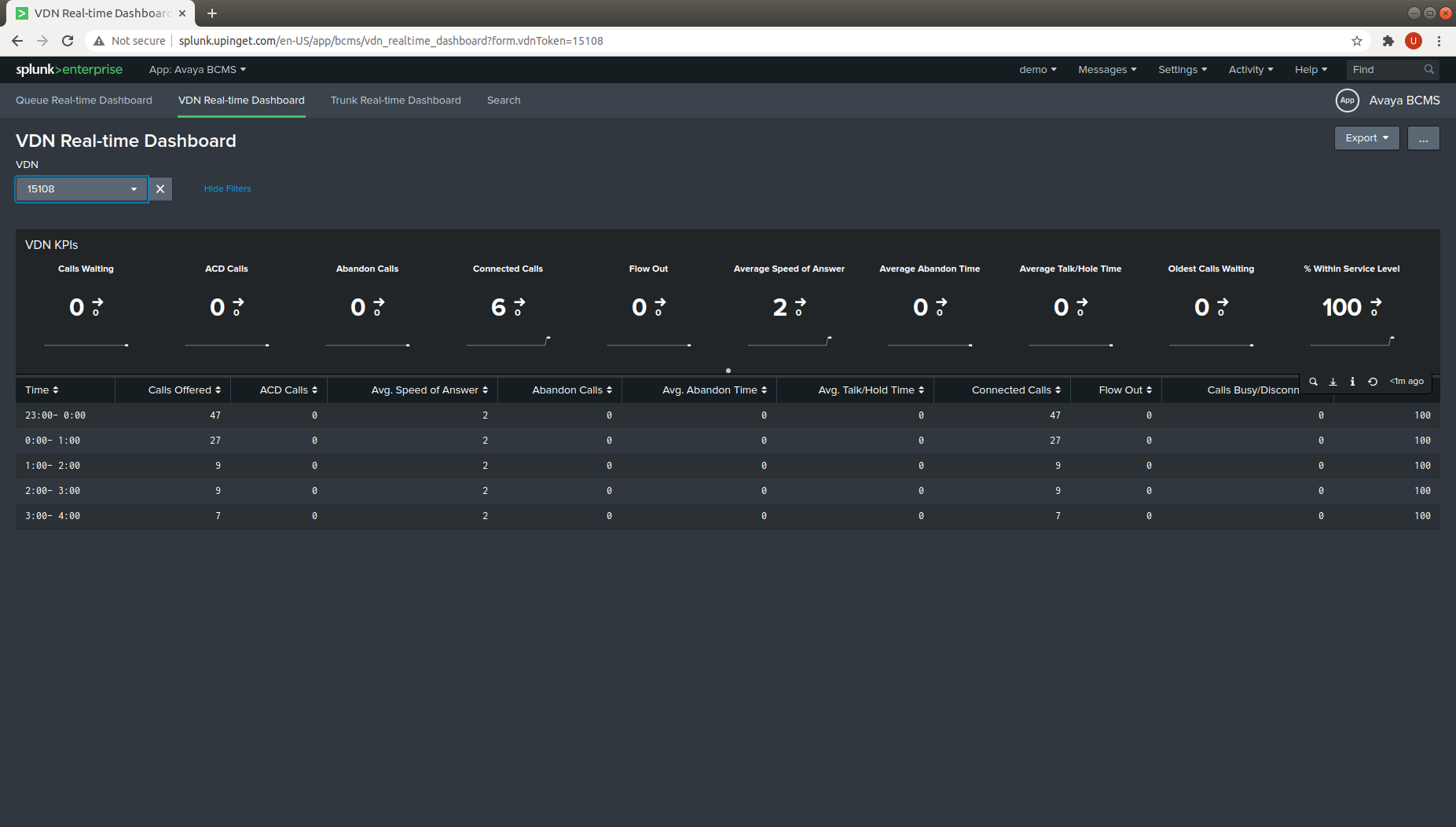
- VDN Real-time Dashboard
- Agent Real-time Dashboard
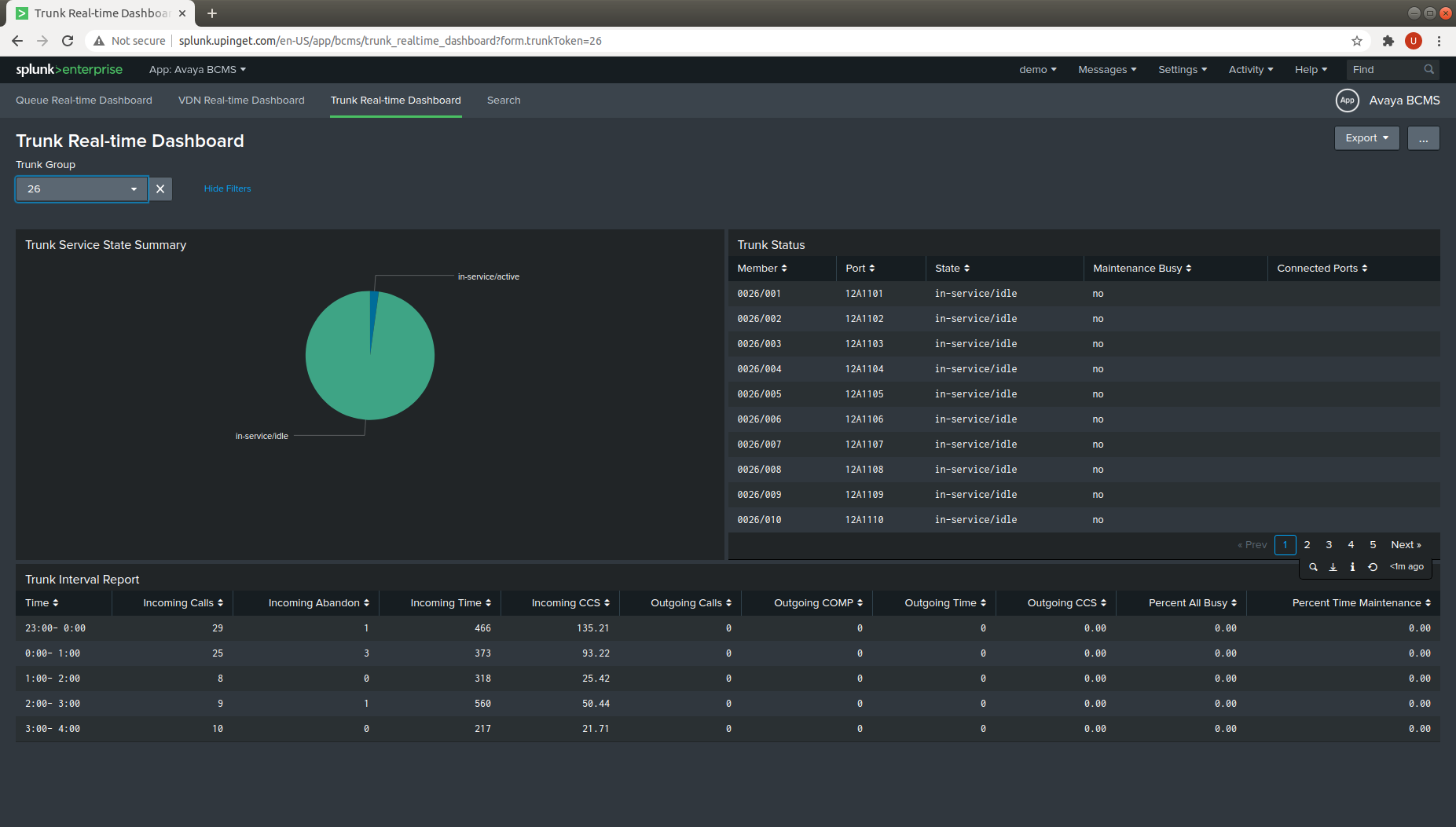
- Trunk Real-time Dashboard
- Call Search
- Attendance Search
You can find the new screen dumps as follows:


Splunk App CallAnalytics v1.0.1 just released. It supports
You can find the new screen dumps as follows:
DMCCLogger 1.0.7 just released, this version has the following updates.
1. Add linkstatus API to check link status.
2. Writes the logger id to the t_astcalldata table to support centralized database.
3. Fixed a bug that singlestep conference call failed due to change of call id.
4. Fixed a bug that call file is spited for conference call.
5. Migrate PHP mysql to mysqli package.
6. Remove support of IE for call playback, the library SoundManager has removed.
7. Support Ubuntu 18.04 and 20.04 distribution.
bcmsSVR 2.1.1 just released, this version has the following updates.
1. Add statushuntgroup REST API, also the data is written to Splunk and Kafka interfaces.
2. Add addhuntgroupmember, deletehuntgroupmember REST API.
AvayaECHI 1.1.16 just released, this version has the following updates:
1. Fixed memory leakage when remote SFTP host is not reachable.
2. Check if the local directory has regular files before opening an upload sftp session.
3. Fixed the event time incorrect issue for Splunk HEC method.
4. Supports Ubuntu 18.04 or version above.
Happy New Year! ctiSVR 1.2.14 just released, this version has the following updates:
1. Supports bulk version of queryacdsplits(), querydeviceinfos() and queryagentstates() API.
2. Fixed the segmentation fault which is caused by multiphe threads accessing the tsapi event array.
3. Supports DMCC Physical Device Services and Events. New APIs getbuttoninformation(), getlampmode(), buttonpress(), getdisplay(), sethookswitchstatus(), gethookswitchstatus(),
getringerstatus(), getregistrationstate(), validatedevicesecuritycode(), changedevicesecuritycode() and getlinkstatus() are supported.
4. Supports splitskillstatus() API.
5. Supports HookswitchEvent, DisplayUpdatedEvent, RingerStatusEvent and LampModeEvent in XML and JSON formats.
6. The ivrSVR uses the LampModeEvents to enhance the determination of the agent state for the splitskillstatus() API.
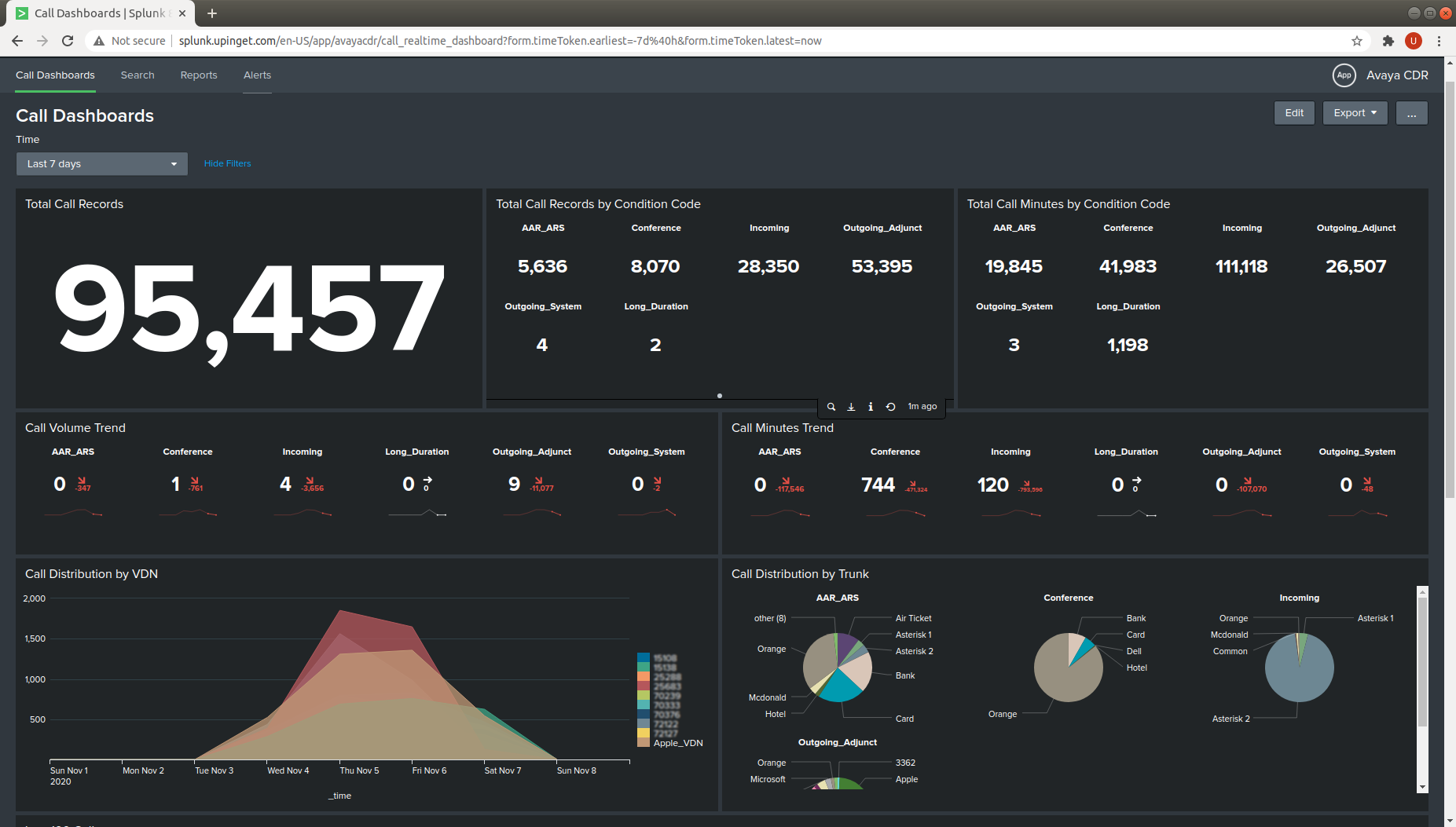
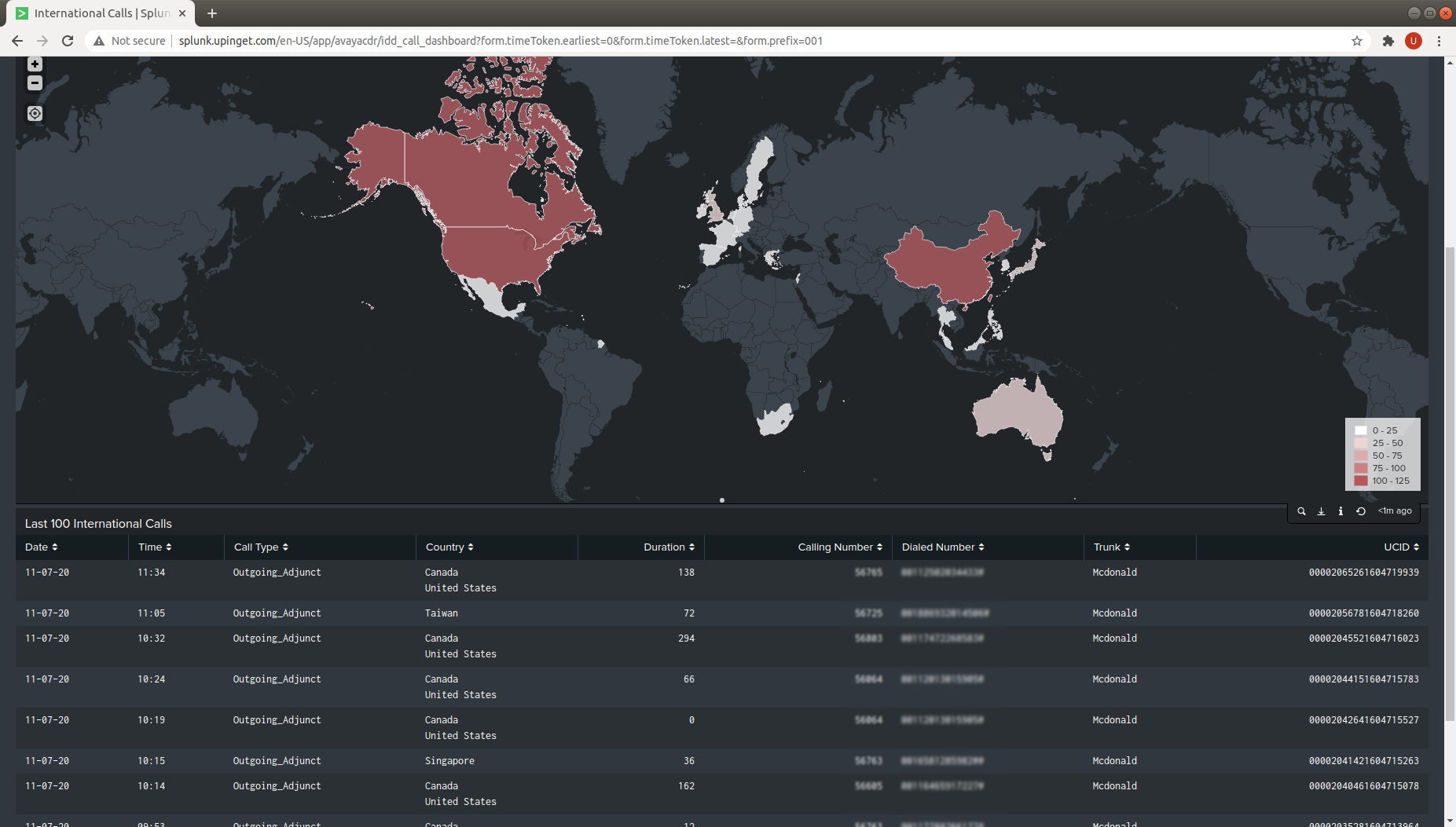
We have created a Splunk App called Avaya CDR, the current version of the app is 1.0.1. You can download the app free from here. After download, use the Splunk Manage App function to upload the file avayacdr[version].tar.gz into Splunk. Then enable the Splunk HTTP Event Collector Global Setting. Also update the parameters of AvayaCDR with the the following console commands:
When you send the CDR to this Splunk App, you can see the following Call and International dashboards. Enjoy!


bcmsSVR 2.1.0 just released, this version has the following updates.
1. Add admin API list/add/delete report.
2. Add admin API updatelicense/displaylicense.
3. Add admin API list/add/delete acd.
4. Add admin API list/add/delete/update parameter.
5. Add admin API reload parameter.
6. Add admin API add/delete/test/list email.
7. Add admin API emailconfig to update email email configuration.
8. Add function to add/remove/change agent.
9. The function changebasicbasic added autoanswer parameter.
10. Login function support password together with pin.
11. Send log to Splunk stopped for bcmsList functions after server is restarted is fixed due to incorrect timestamp read from database after program restart.
12. Change the maximum ACD connection pool size from 10 to 15.
13. Addition of ACD connection to connection pool in the reload function without restart of the program.
14. Supports sending the data to Kafka.
15. Supports “list measurement trunk-group hourly” and “list measurement trunk-group summary” reports.
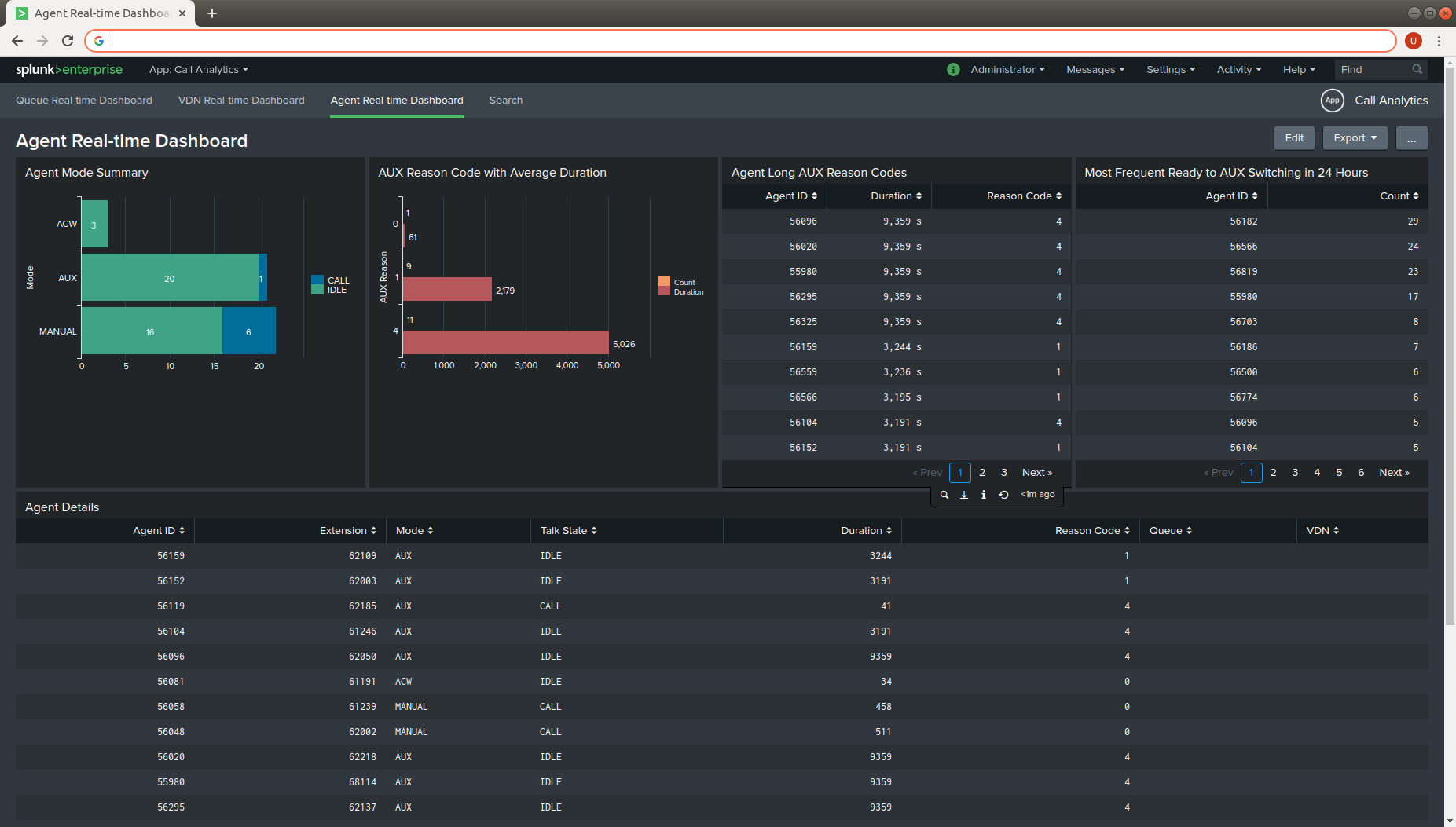
We have created a Splunk App called Call Analytics, the current version of the app is 1.0.0. You can download the app free from here. After download, use the Splunk Manage App function to upload the file callanalytics[version].tar.gz into Splunk. Then enable the Splunk HTTP Event Collector Global Setting. Also update the parameters of CallAnalytics with the the following console commands:
Lastly add your splitskillstatus, agentsnapshot and vdnsnapshot, qacdsplits, qtrunkgroup reports into CallAnalytics, you will find the following dashboards in Splunk. Enjoy!


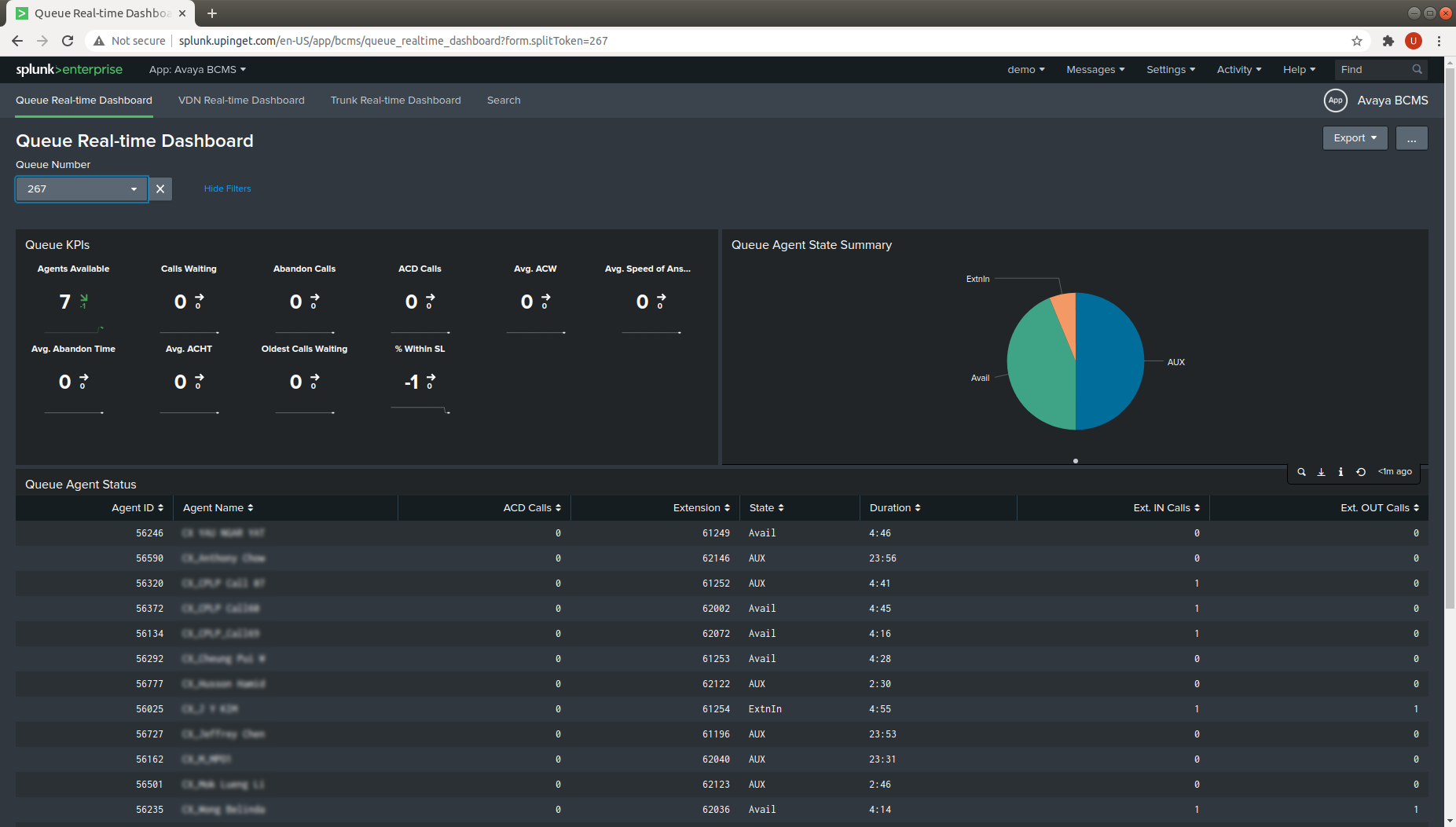
We have created a Splunk App called Avaya BCMS, the current version of the app is 1.0.0. You can download the app free from here. After download, use the Splunk Manage App function to upload the file bcms[version].tar.gz into Splunk. Then enable the Splunk HTTP Event Collector Global Setting. Also update the parameters of bcmsSVR with the the following console commands:
Lastly add your bcmsMonitorSystem, bcmsMonitorSplit and bcmsMonitorVDN reports into bcmsSVR, you will find the following dashboards in Splunk. Enjoy!

The following tools are under beta testing on the Raspberry Pi 4 (Buster). If you would like to have a trial, please contact us.

